
Lenovo Yoga 7A 2-in-1 16 enters the growing market of “prosumer” laptops, offering a blend of premium features and practical performance without reaching workstation-level pricing. With a 16-inch OLED touchscreen, AMD Ryzen AI processor, and flexible 360-degree design, it targets students, content creators, and professionals who want versatility and visual quality in one device.
Design and Build Quality
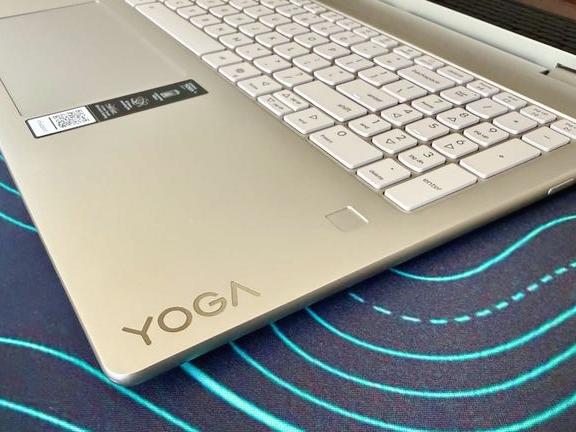
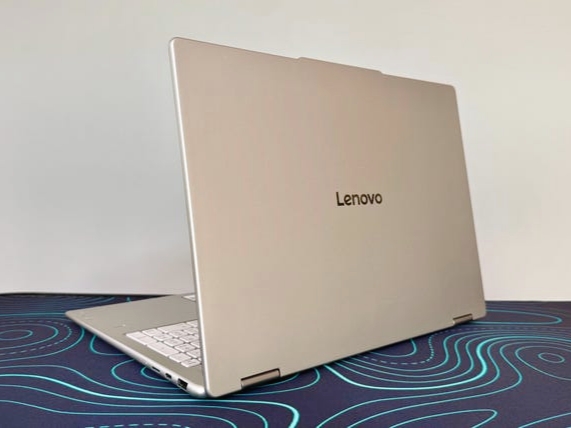
The Yoga 7A 16 features a clean, professional design with a mix of metal and plastic construction. While it does not match Lenovo’s flagship aluminum builds, it still feels sturdy with minimal flex.
At 3.95 pounds (1.79 kg), it is relatively portable for a 16-inch convertible, though not ideal for extended handheld tablet use. The 360-degree hinge is smooth and reliable, making it easy to switch between laptop, tent, and stand modes.
Display: A Key Selling Point
The 16-inch 1920×1200 OLED touchscreen is the standout feature. It delivers:
– Deep blacks and vibrant colors
– 100% sRGB and P3 color coverage
– 91% AdobeRGB support
This makes it excellent for photo editing, streaming, and general content consumption. However, brightness peaks at around 286 nits, which limits its performance in bright environments and HDR content.
Example: A photographer editing images in Lightroom will appreciate the color accuracy, but outdoor usage may feel dim compared to higher-nit displays.
Performance: Solid for Everyday Use
Powered by the AMD Ryzen AI 7 445 processor and 24GB of LPDDR5X RAM, the Yoga 7A handles:
– Multitasking with dozens of browser tabs
– Office applications and productivity tools
– Light photo and video editing
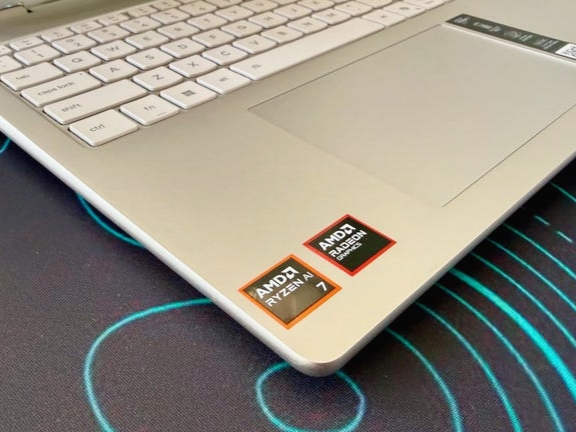
Performance is comparable to Intel Core Ultra-based competitors, delivering a smooth Windows 11 experience. However, it is not designed for heavy professional workloads.
Graphics Limitations
The biggest drawback is the integrated Radeon 840M GPU.
– Struggles with demanding 3D tasks
– Limited performance in AAA gaming
– Not ideal for advanced video editing or rendering
While casual gaming and light creative tasks are manageable, users needing GPU power should consider laptops with discrete graphics.
Battery Life and Efficiency
Battery performance is a strong point, with up to 14 hours in video streaming tests. Combined with fast USB-C charging and a compact 65W charger, it is well-suited for all-day use.
Keyboard, Ports, and Connectivity
The keyboard offers good tactile feedback but has a layout quirk where the Num Lock key can be mistaken for Backspace.
Port selection includes:
– USB-C (up to 10Gbps)
– USB-A
– HDMI 2.1
– microSD card reader
However, the lack of Thunderbolt 4 or USB4 is a notable limitation for professionals needing high-speed data transfer.
Camera and Audio
– 1440p webcam delivers sharp video quality
– Dual microphones capture clear audio
– Privacy shutter adds security
Audio performance is average but sufficient for everyday use.
Price and Value
– Starting price: $1,250
– Reviewed configuration: $1,700 (often discounted to ~$1,450)
This positions it between budget convertibles and premium flagship models, offering good value for users prioritizing display quality and versatility.
Final Verdict: Who Should Buy It?
The Lenovo Yoga 7A 2-in-1 16 is a strong choice for:
– Students and professionals needing a large, flexible display
– Creators focused on photo editing and content consumption
– Users who prioritize battery life and portability
However, it is less suitable for:
– Gamers or 3D professionals
– Users needing high-end GPU performance
– Those requiring Thunderbolt or advanced connectivity
If you need a powerful GPU or brighter display, alternatives like the Asus Zenbook A16 or Acer Swift 16 AI may offer better performance at a similar price.